准备
- 文章文件
- Git
- Github账号
- Obsidian
创建Github仓库
创建一个新的Github仓库,将本地文件同步到Github中,建议使用私有仓库。
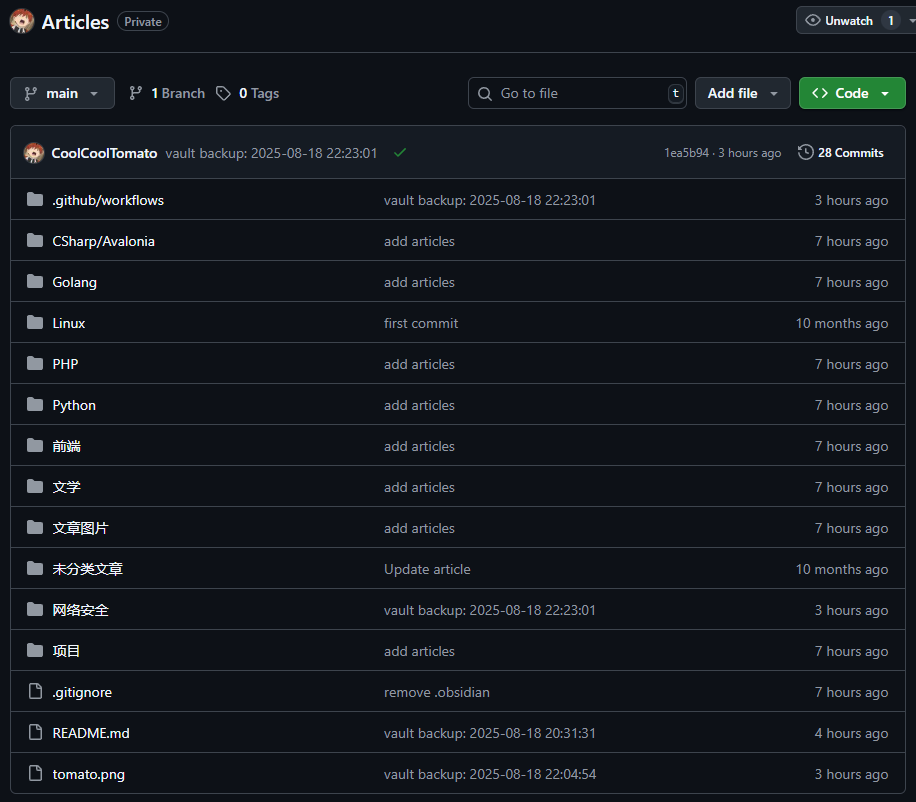
同时配置.gitignore文件。
.obsidian/
.trash
Obsidian安装Git插件
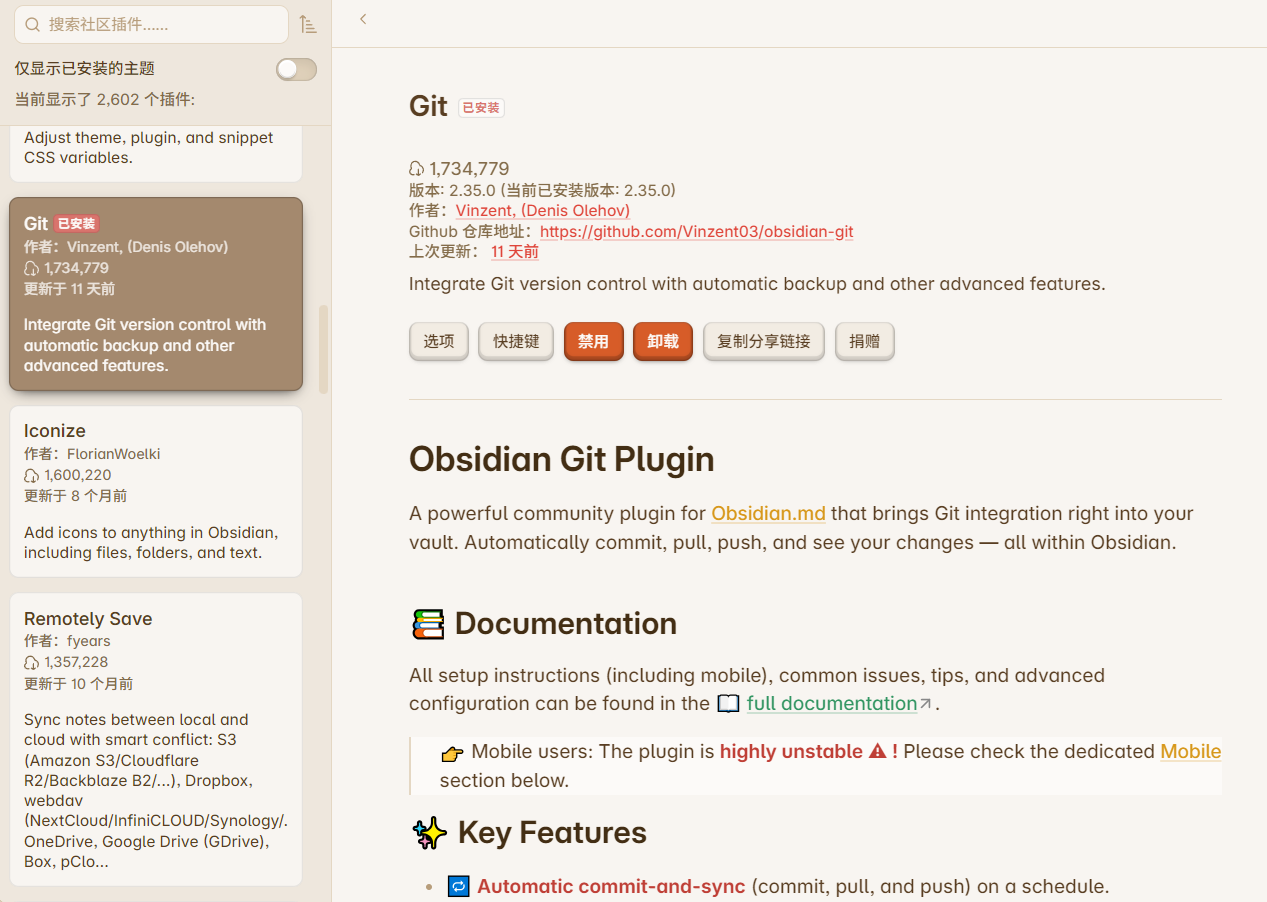
在插件市场安装Vinzent/Git插件。
可以将常用Git命令设置成快捷命令。
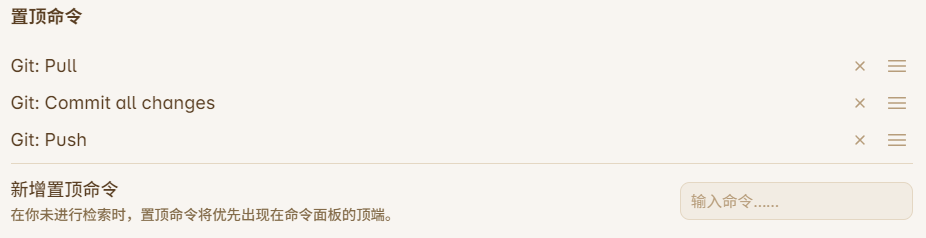
使用Ctrl+p可快速查看命令。
配置Github密钥
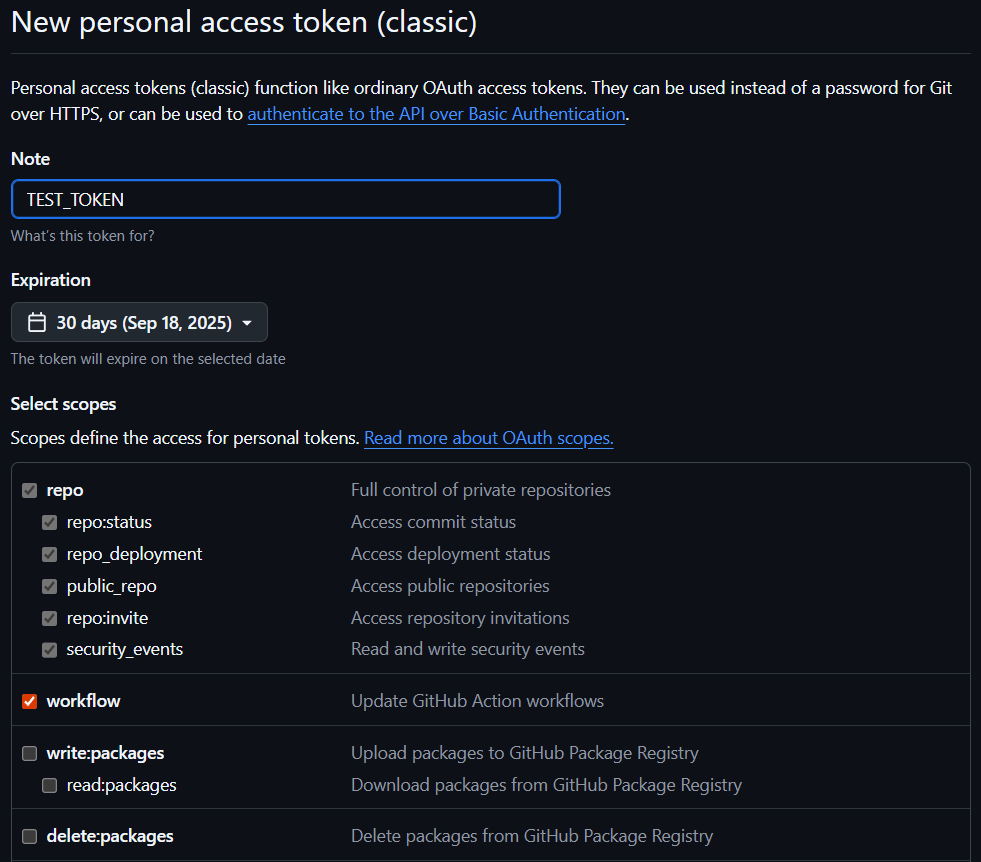
找到Github设置。
Settings->Developer Settings->Personal access tokens->tokens (classic)
选择Generate new token (classic),并勾选repo和workflow,创建完成后,复制密钥的内容用以后续使用。
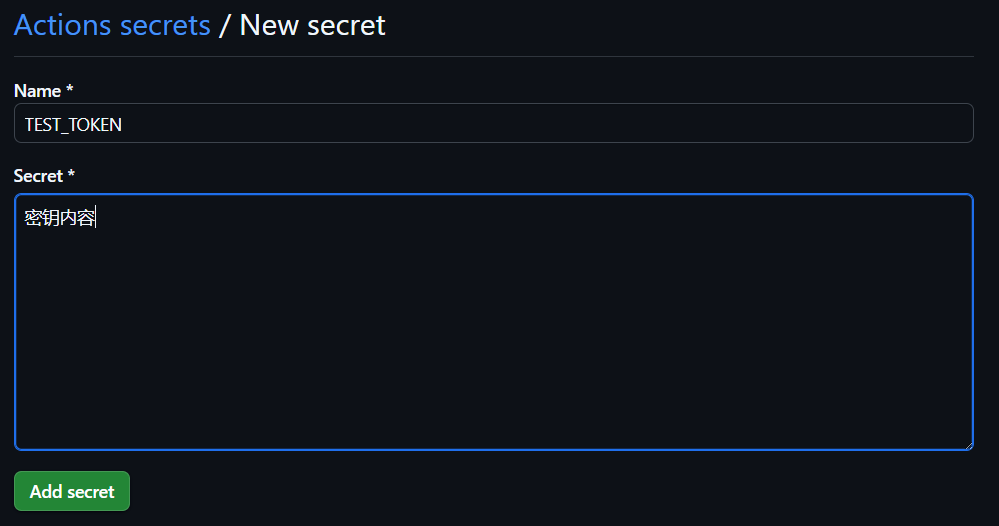
回到文章仓库中,配置工作流密钥。
Settings->Security->Secrets and variables->Actions->Repository secrets
点击New repository secret,创建一个密钥,名称和内容为之前创建的token。
创建发布页仓库
创建一个空仓库,名称为Username.github.io,仓库需要为公有仓库。
CoolCoolTomato.github.io
创建工作流
在文章根目录下创建.github/workflows/deploy.yml文件。
需要注意修改以下内容:
- 在
Copy articles to Quartz content folder添加你不希望发布到页面的目录。 - 在
Apply custom title中替换网站标题,网站语言,网站url。 - 在
Copy README.html to index.html中选择网站首页和icon。 - 在
Deploy to GitHub Pages中将地址换成你自己的发布页仓库。
name: Build and Deploy from Articles to Pages

on:
  push:
    branches:
      - main #当main分支提交时触发

jobs:
  deploy:
    runs-on: ubuntu-latest
    steps:
      - name: Checkout Articles repository
        uses: actions/checkout@v4
        with:
          path: ./Articles-source

      - name: Checkout Quartz repository
        uses: actions/checkout@v4
        with:
          repository: jackyzha0/quartz
          path: ./quartz-generator

	  #这里排除不想公开的文件夹,例如 项目
      - name: Copy articles to Quartz content folder
        run: |
          rsync -av --progress ./Articles-source/ ./quartz-generator/content/ --exclude '项目'

      - name: Setup Node.js
        uses: actions/setup-node@v4
        with:
          node-version: '22'

      - name: Install Quartz dependencies
        run: npm install
        working-directory: ./quartz-generator


	  #注意将sed命令中的 coolcooltomato 改为你自己的网站
      - name: Apply custom site configuration
        run: |
          if [ -f ./quartz-generator/quartz.config.default.yaml ]; then
            cp ./quartz-generator/quartz.config.default.yaml ./quartz-generator/quartz.config.yaml
            sed -i 's/pageTitle: Quartz 5/pageTitle: CoolCoolTomato/' ./quartz-generator/quartz.config.yaml
            sed -i 's/locale: en-US/locale: zh-CN/' ./quartz-generator/quartz.config.yaml
            sed -i 's/baseUrl: quartz.jzhao.xyz/baseUrl: coolcooltomato.github.io/' ./quartz-generator/quartz.config.yaml
          elif [ -f ./quartz-generator/quartz.config.ts ]; then
            sed -i 's/Quartz 4/CoolCoolTomato/' ./quartz-generator/quartz.config.ts
            sed -i 's/en-US/zh-CN/' ./quartz-generator/quartz.config.ts
            sed -i 's/quartz.jzhao.xyz/coolcooltomato.github.io/' ./quartz-generator/quartz.config.ts
          else
            echo "Could not find a supported Quartz config file" >&2
            exit 1
          fi

      - name: Install Quartz plugins
        run: npx quartz plugin install --from-config
        working-directory: ./quartz-generator

      - name: Build Quartz site
        run: npx quartz build
        working-directory: ./quartz-generator

	  #设置首页和网站icon,需要将这些替换成你自己的网站内容
      - name: Prepare GitHub Pages entrypoint and icon
        run: |
          if [ -f ./quartz-generator/public/README.html ]; then
            cp ./quartz-generator/public/README.html ./quartz-generator/public/index.html
          elif [ -f ./quartz-generator/public/readme.html ]; then
            cp ./quartz-generator/public/readme.html ./quartz-generator/public/index.html
          elif [ ! -f ./quartz-generator/public/index.html ]; then
            first_page=$(find ./quartz-generator/public -maxdepth 2 -type f -name '*.html' | sort | head -n 1)
            if [ -z "$first_page" ]; then
              echo "Could not find any generated HTML page to use as index.html" >&2
              exit 1
            fi
            cp "$first_page" ./quartz-generator/public/index.html
          fi

          mkdir -p ./quartz-generator/public/static
          if [ -f ./quartz-generator/public/tomato.png ]; then
            cp ./quartz-generator/public/tomato.png ./quartz-generator/public/static/icon.png
          fi

      - name: Deploy to GitHub Pages
        uses: peaceiris/actions-gh-pages@v3
        with:
          publish_dir: ./quartz-generator/public
          personal_token: ${{ secrets.ACCESS_TOKEN }}
          user_name: github-actions[bot]
          user_email: github-actions[bot]@users.noreply.github.com
          commit_message: "chore: auto-deploy from Articles repo"
          external_repository: CoolCoolTomato/CoolCoolTomato.github.io
创建完成后提交到Github文章仓库,工作流会自动运行。
配置发布页
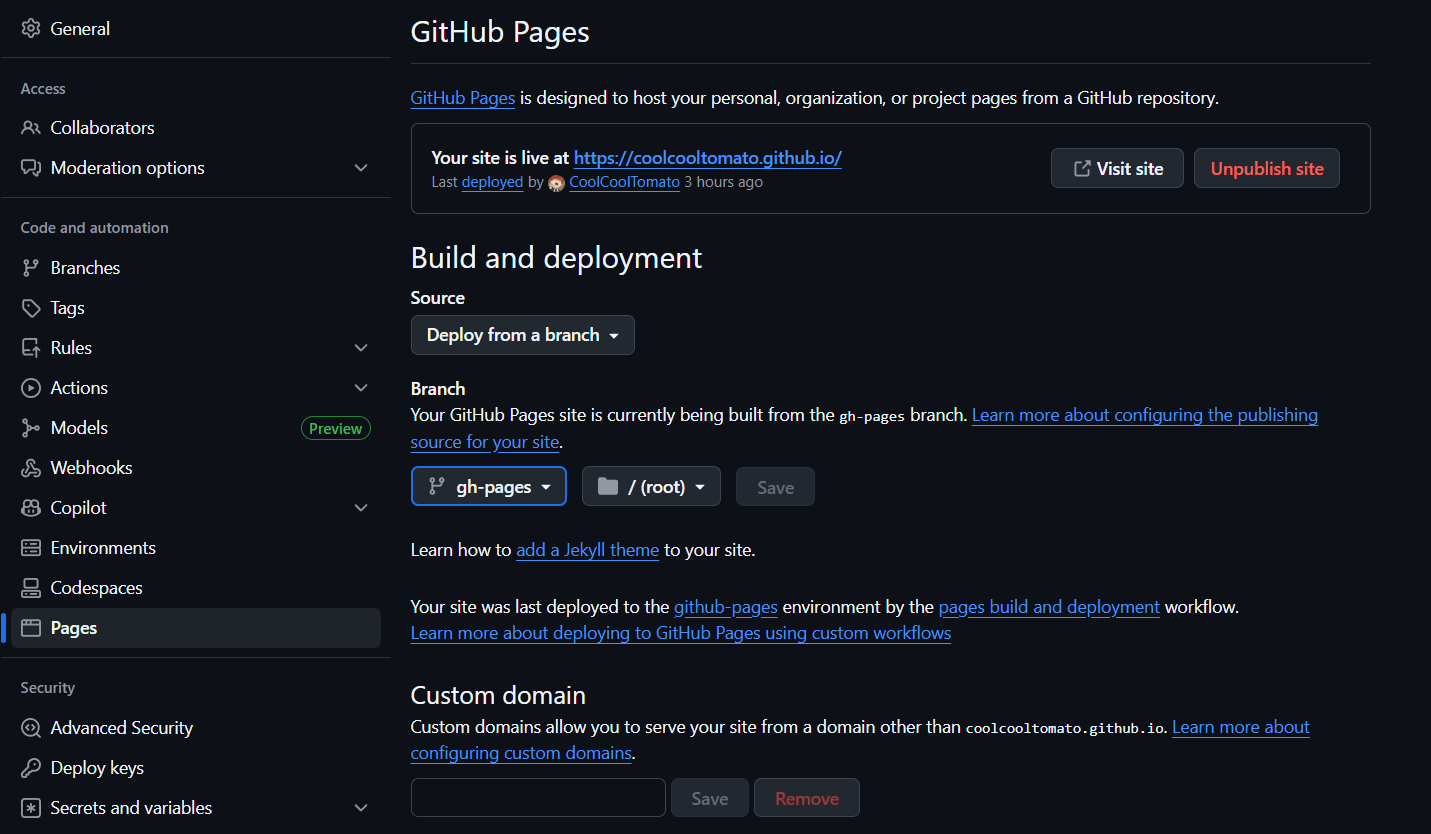
进入发布页仓库设置。
Settings->Code and automation->Pages
Source选择Deploy from a branch,选择gh-pages并保存。
查看发布页
进入Username.github.io查看发布页。